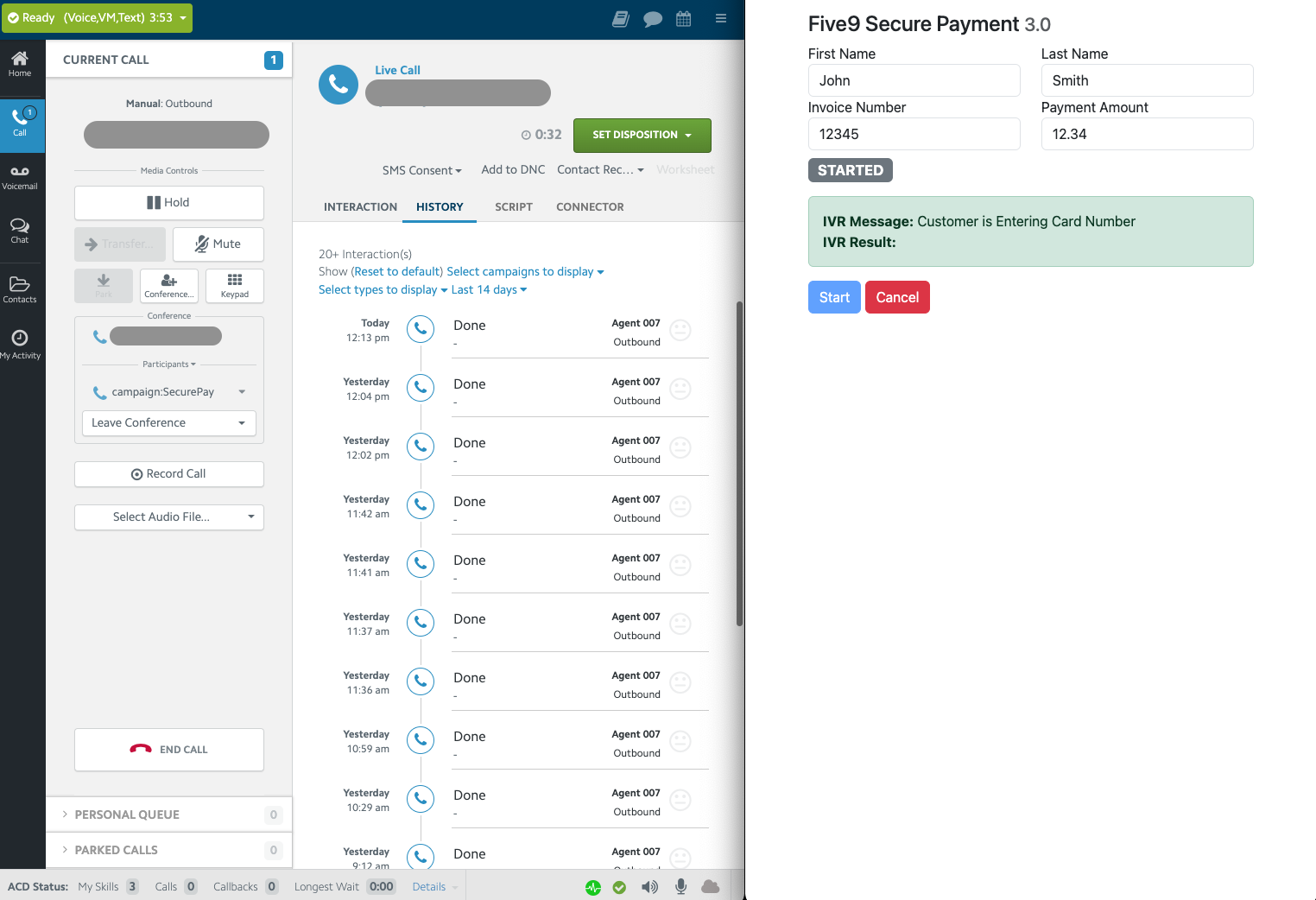
Appearance
Quickstart Guide
This guide shows you how to get up and running with Five9 SecureIVR JS Library.
INFO
Before going through these steps, you should have already configured your Five9 VCC to include the other necessary SecureIVR configuration.
If you have not yet done that, please work with your Five9 PS Resource to configure your domain.
You should have your REGION, ACCESS_KEY, and ORG_PATH values ready before proceeding. These values should be provided to you by a Five9 implementation resource during your Secure Pay implementation.
Import the Library
Using the JS Lib as a URL Script Include
The recommended way to get up and running with Five9 SecureIVR JS is to import using the JS lib URL.
Place this at the very end of your HTML body, right before the </body> closing tag
html
<!-- Five9 SecureIVR Library URL Script Include -->
<script type="text/javascript"
  src="http://secure-pay.ps.five9.com/lib/d/us/YOUR_ORG_PATH/secureivr-client.min.js?accessKey=YOUR_ACCESS_TOKEN"
  defer></script>
<!-- Five9 SecureIVR Library URL Script Include -->
<script type="text/javascript"
src="http://secure-pay.ps.five9.com/lib/d/us/YOUR_ORG_PATH/secureivr-client.min.js?accessKey=YOUR_ACCESS_TOKEN"
defer></script>Configure the JS Library URL
URL Configuration
http://secure-pay.ps.five9.com/lib/d/{REGION}/{ORG_PATH}/secureivr-client.min.js?accessKey={ACCESS_KEY}
REGION: Based on the following options. This is a part of the URL path. Example: us. Allowed values: us, eu, uk, ca, in
ORG_PATH: Provided by your Five9 engineer. This is a part of the URL path. Example: jdqr.
ACCESS_KEY: You can get your access token from your Five9 PS Engineer. This is a query parameter in the URL. Example: accessKey=my-secret-token.
Using the JS Library as a Local Dependency (Advanced)
Please reach out to your assigned Five9 PS Engineer to get a copy of the bundle, including the secure-ivr.js source file. Alternatively you can just download the code from the JS lib URL to a file.
html
<script type="text/javascript" src="libs/five9-secureivr.min.js"></script><script type="text/javascript" src="libs/five9-secureivr.min.js"></script>Retrieve the Sample App
index.html
html
<!--
Copyright (c) 2023 Five9, Inc. The content presented herein may not, under any
circumstances, be reproduced in whole or in any part or form without written
permission from Five9, Inc.
-->
<!DOCTYPE html>
<html lang="en">
<!-- #region head-style -->
<head>
<meta http-equiv="Content-Type" content="text/html; charset=utf-8" />
<meta http-equiv="X-UA-Compatible" content="IE=edge" />
<meta name="viewport" content="width=device-width, initial-scale=1" />
<link href="https://www.five9.com/favicon.ico" rel="shortcut icon" />
<title>Five9 SecurePay API Library Sample App</title>
<!-- The sample uses Bootstrap for styling -->
<link href="https://cdn.jsdelivr.net/npm/bootstrap@5.3.1/dist/css/bootstrap.min.css" rel="stylesheet"
integrity="sha384-4bw+/aepP/YC94hEpVNVgiZdgIC5+VKNBQNGCHeKRQN+PtmoHDEXuppvnDJzQIu9" crossorigin="anonymous" />
<script src="https://cdn.jsdelivr.net/npm/bootstrap@5.3.1/dist/js/bootstrap.bundle.min.js"
integrity="sha384-HwwvtgBNo3bZJJLYd8oVXjrBZt8cqVSpeBNS5n7C8IVInixGAoxmnlMuBnhbgrkm"
crossorigin="anonymous"></script>
</head>
<!-- #endregion head-style -->
<body class="container">
<form class="col-12">
<!-- #region form -->
<h3 class="mt-3">Five9 Secure Payment <small class="text-muted" id="secure-ivr-version-number"></small></h3>
<div class="row">
<div class="col">
<div class="form-group">
<label for="firstName">First Name</label>
<input type="text" class="form-control" id="firstName" placeholder="" value="John" />
</div>
</div>
<div class="col">
<div class="form-group">
<label for="lastName">Last Name</label>
<input type="text" class="form-control" id="lastName" placeholder="" value="Smith" />
</div>
</div>
</div>
<div class="row">
<div class="col">
<div class="form-group">
<label for="invoiceNumber">Invoice Number</label>
<input type="text" class="form-control" id="invoiceNumber" placeholder="" value="12345" />
</div>
</div>
<div class="col">
<div class="form-group">
<label for="paymentAmount">Payment Amount</label>
<input type="text" class="form-control" id="paymentAmount" placeholder="" value="12.34" />
</div>
</div>
</div>
<div class="row my-2">
<div class="col">
<h4 id="status-state">
<span id="status-state-chip" class="badge bg-secondary">UNINITIALIZED</span>
</h4>
</div>
</div>
<!-- #endregion form -->
<!-- -->
<!-- #region bridge -->
<div class="row">
<div class="col">
<div id="bridge-message-div" class="form-group alert alert-success col-sm-12 col-md-12 col-lg-12 d-none"
role="alert">
<div id="bridge-message"><strong>IVR Message:</strong></div>
<div id="bridge-result"><strong>IVR Result:</strong></div>
</div>
</div>
</div>
<!-- #endregion bridge -->
<!-- #region buttons -->
<div class="row">
<div class="col">
<div class="form-group">
<button type="button" id="btn-start" class="btn btn-primary" disabled="disabled">Start</button>
<button type="button" id="btn-cancel" class="btn btn-danger" disabled="disabled">
<span id="cancelsecurepay-text">Cancel</span>
</button>
</div>
</div>
</div>
<!-- #endregion buttons -->
<!-- #region toast -->
<!-- Toast -->
<div class="position-fixed top-0 end-0 p-3" style="z-index: 11">
<div id="toast-element" class="toast align-items-center text-white bg-secondary border-0" role=" alert"
aria-live="assertive" aria-atomic="true">
<div class="toast-header">
<strong class="me-auto">Notification</strong>
<button type="button" class="btn-close" data-bs-dismiss="toast" aria-label="Close"></button>
</div>
<div class="toast-body" id="toast-message"></div>
</div>
</div>
<!-- #endregion toast -->
</form>
<!-- #region script -->
<script type="text/javascript">
document.addEventListener('DOMContentLoaded', () => {
const $ = jQuery;
const initButton = $('#btn-init');
const reconnectButton = $('#btn-reconnect');
const startButton = $('#btn-start');
const cancelButton = $('#btn-cancel');
const bridgeMessageDiv = $('#bridge-message-div');
const statusChip = $('#status-state-chip');
const bridgeMessageElement = $('#bridge-message');
const bridgeResultElement = $('#bridge-result');
const versionNumberTag = $('#secure-ivr-version-number');
const toastMessage = $('#toast-message');
var toastEl = document.getElementById('toast-element');
var toast = new bootstrap.Toast(toastEl, { autohide: true });
// #region cavs
/**********************************************************
* Call Variable Definitions
**********************************************************/
function getCallVariablesFromFields() {
var firstName = $('#firstName').val();
var lastName = $('#lastName').val();
var paymentAmount = $('#paymentAmount').val();
var invoiceNumber = $('#invoiceNumber').val();
var cavFields = {
'SecurePay.FirstName': firstName,
'SecurePay.LastName': lastName,
'SecurePay.InvoiceNumber': paymentAmount,
'SecurePay.PaymentAmount': invoiceNumber,
};
return cavFields;
}
// #endregion cavs
// #region ui-controls
/**********************************************************
* DOM / UI State Control
**********************************************************/
function showNotification(message) {
toastMessage.text(message);
toast.show();
}
function showBridgeMessage(messsage) {
bridgeMessageElement.html('<strong>IVR Message:</strong> ' + messsage);
}
function showBridgeResult(result) {
bridgeResultElement.html('<strong>IVR Result:</strong> ' + result);
}
function showConnectedUi() {
startButton.attr('disabled', 'disabled');
cancelButton.removeAttr('disabled');
}
function showFinishedUi() {
startButton.removeAttr('disabled');
cancelButton.attr('disabled', 'disabled');
bridgeMessageDiv.addClass('d-none');
}
function showReadyUi() {
startButton.removeAttr('disabled');
cancelButton.attr('disabled', 'disabled');
}
function showInactiveUi() {
initButton.removeAttr('disabled');
startButton.attr('disabled', 'disabled');
}
function showTriggerStartUi() {
showBridgeMessage('');
showBridgeResult('');
startButton.attr('disabled', 'disabled');
bridgeMessageDiv.removeClass('d-none');
}
function showReconnectedUi(result) {
startButton.attr('disabled', 'disabled');
cancelButton.removeAttr('disabled');
bridgeMessageDiv.removeClass('d-none');
}
function showStatus(state) {
if (state === undefined) {
return;
}
statusChip.text(state);
}
// #endregion ui-controls
// #region client-initialize
const secureIvrClient = new SecureIvrClient();
// #endregion client-initialize
versionNumberTag.text(secureIvrClient.version);
// #region events
/**********************************************************
* Secure IVR Event Listeners
**********************************************************/
secureIvrClient.on('secureivr.ready', (event) => {
console.log('SecureIVRClient Incoming Event: secureivr.ready', event.data);
showReadyUi();
});
secureIvrClient.on('secureivr.not_ready', (event) => {
console.log('SecureIVRClient Incoming Event: secureivr.not_ready', event.data);
showInactiveUi();
});
secureIvrClient.on('secureivr.started', (event) => {
console.log('SecureIVRClient Incoming Event: secureivr.started', event.data);
if (event.status === 'ERROR') {
const errMessage = `There was an issue starting Secure Pay. ${event.data?.error ? event.data.error : ''}`;
showNotification(errMessage);
return;
}
showConnectedUi();
});
secureIvrClient.on('secureivr.ended', (event) => {
console.log('SecureIVRClient Incoming Event: secureivr.ended', event.data);
showFinishedUi();
});
secureIvrClient.on('secureivr.message', (event) => {
console.log('SecureIVRClient Incoming Event: secureivr.message', event.data);
switch (event.data.type) {
case 'RESULT':
showBridgeResult(event.data.message);
case 'MESSAGE':
showBridgeMessage(event.data.message);
}
});
secureIvrClient.on('status.changed', (event) => {
console.log('SecureIVRClient Incoming Event: status.changed', event.data);
showStatus(event.data.status);
});
secureIvrClient.on('connection.changed', (event) => {
console.log('SecureIVRClient Incoming Event: connection.changed', event.data);
switch (event.data.type) {
case 'RECONNECTED':
showNotification('Successfully reconnected to Secure Payment IVR...');
showReconnectedUi();
showStatus('RECONNECTED');
break;
}
});
// #endregion events
// #region button-action-logic
/**********************************************************
* UI Action Support Functions
**********************************************************/
startButton.click(function (evt) {
showTriggerStartUi();
secureIvrClient.startSecurePay({
withEvents: true,
callVariables: getCallVariablesFromFields(),
});
});
cancelButton.click(function (evt) {
if (secureIvrClient.five9BridgeClient.isOpen()) {
secureIvrClient.five9BridgeClient.close();
}
secureIvrClient.cancelSecurePay();
});
// #endregion button-action-logic
});
</script>
<!-- #endregion script -->
<!-- ================================= -->
<!-- Secure Payment specific libraries -->
<!-- ================================= -->
<!-- Load one, but not both. -->
<!-- #region js-lib-url -->
<!-- Five9 SecureIVR Library URL Script Include -->
<script type="text/javascript"
  src="http://secure-pay.ps.five9.com/lib/d/us/YOUR_ORG_PATH/secureivr-client.min.js?accessKey=YOUR_ACCESS_TOKEN"
  defer></script>
<!-- #endregion js-lib-url -->
<!-- Five9 SecureIVR Library -->
<!-- <script type="text/javascript" src="libs/five9-secureivr.min.js" defer></script> -->
</body>
</html><!--
Copyright (c) 2023 Five9, Inc. The content presented herein may not, under any
circumstances, be reproduced in whole or in any part or form without written
permission from Five9, Inc.
-->
<!DOCTYPE html>
<html lang="en">
<!-- #region head-style -->
<head>
<meta http-equiv="Content-Type" content="text/html; charset=utf-8" />
<meta http-equiv="X-UA-Compatible" content="IE=edge" />
<meta name="viewport" content="width=device-width, initial-scale=1" />
<link href="https://www.five9.com/favicon.ico" rel="shortcut icon" />
<title>Five9 SecurePay API Library Sample App</title>
<!-- The sample uses Bootstrap for styling -->
<link href="https://cdn.jsdelivr.net/npm/bootstrap@5.3.1/dist/css/bootstrap.min.css" rel="stylesheet"
integrity="sha384-4bw+/aepP/YC94hEpVNVgiZdgIC5+VKNBQNGCHeKRQN+PtmoHDEXuppvnDJzQIu9" crossorigin="anonymous" />
<script src="https://cdn.jsdelivr.net/npm/bootstrap@5.3.1/dist/js/bootstrap.bundle.min.js"
integrity="sha384-HwwvtgBNo3bZJJLYd8oVXjrBZt8cqVSpeBNS5n7C8IVInixGAoxmnlMuBnhbgrkm"
crossorigin="anonymous"></script>
</head>
<!-- #endregion head-style -->
<body class="container">
<form class="col-12">
<!-- #region form -->
<h3 class="mt-3">Five9 Secure Payment <small class="text-muted" id="secure-ivr-version-number"></small></h3>
<div class="row">
<div class="col">
<div class="form-group">
<label for="firstName">First Name</label>
<input type="text" class="form-control" id="firstName" placeholder="" value="John" />
</div>
</div>
<div class="col">
<div class="form-group">
<label for="lastName">Last Name</label>
<input type="text" class="form-control" id="lastName" placeholder="" value="Smith" />
</div>
</div>
</div>
<div class="row">
<div class="col">
<div class="form-group">
<label for="invoiceNumber">Invoice Number</label>
<input type="text" class="form-control" id="invoiceNumber" placeholder="" value="12345" />
</div>
</div>
<div class="col">
<div class="form-group">
<label for="paymentAmount">Payment Amount</label>
<input type="text" class="form-control" id="paymentAmount" placeholder="" value="12.34" />
</div>
</div>
</div>
<div class="row my-2">
<div class="col">
<h4 id="status-state">
<span id="status-state-chip" class="badge bg-secondary">UNINITIALIZED</span>
</h4>
</div>
</div>
<!-- #endregion form -->
<!-- -->
<!-- #region bridge -->
<div class="row">
<div class="col">
<div id="bridge-message-div" class="form-group alert alert-success col-sm-12 col-md-12 col-lg-12 d-none"
role="alert">
<div id="bridge-message"><strong>IVR Message:</strong></div>
<div id="bridge-result"><strong>IVR Result:</strong></div>
</div>
</div>
</div>
<!-- #endregion bridge -->
<!-- #region buttons -->
<div class="row">
<div class="col">
<div class="form-group">
<button type="button" id="btn-start" class="btn btn-primary" disabled="disabled">Start</button>
<button type="button" id="btn-cancel" class="btn btn-danger" disabled="disabled">
<span id="cancelsecurepay-text">Cancel</span>
</button>
</div>
</div>
</div>
<!-- #endregion buttons -->
<!-- #region toast -->
<!-- Toast -->
<div class="position-fixed top-0 end-0 p-3" style="z-index: 11">
<div id="toast-element" class="toast align-items-center text-white bg-secondary border-0" role=" alert"
aria-live="assertive" aria-atomic="true">
<div class="toast-header">
<strong class="me-auto">Notification</strong>
<button type="button" class="btn-close" data-bs-dismiss="toast" aria-label="Close"></button>
</div>
<div class="toast-body" id="toast-message"></div>
</div>
</div>
<!-- #endregion toast -->
</form>
<!-- #region script -->
<script type="text/javascript">
document.addEventListener('DOMContentLoaded', () => {
const $ = jQuery;
const initButton = $('#btn-init');
const reconnectButton = $('#btn-reconnect');
const startButton = $('#btn-start');
const cancelButton = $('#btn-cancel');
const bridgeMessageDiv = $('#bridge-message-div');
const statusChip = $('#status-state-chip');
const bridgeMessageElement = $('#bridge-message');
const bridgeResultElement = $('#bridge-result');
const versionNumberTag = $('#secure-ivr-version-number');
const toastMessage = $('#toast-message');
var toastEl = document.getElementById('toast-element');
var toast = new bootstrap.Toast(toastEl, { autohide: true });
// #region cavs
/**********************************************************
* Call Variable Definitions
**********************************************************/
function getCallVariablesFromFields() {
var firstName = $('#firstName').val();
var lastName = $('#lastName').val();
var paymentAmount = $('#paymentAmount').val();
var invoiceNumber = $('#invoiceNumber').val();
var cavFields = {
'SecurePay.FirstName': firstName,
'SecurePay.LastName': lastName,
'SecurePay.InvoiceNumber': paymentAmount,
'SecurePay.PaymentAmount': invoiceNumber,
};
return cavFields;
}
// #endregion cavs
// #region ui-controls
/**********************************************************
* DOM / UI State Control
**********************************************************/
function showNotification(message) {
toastMessage.text(message);
toast.show();
}
function showBridgeMessage(messsage) {
bridgeMessageElement.html('<strong>IVR Message:</strong> ' + messsage);
}
function showBridgeResult(result) {
bridgeResultElement.html('<strong>IVR Result:</strong> ' + result);
}
function showConnectedUi() {
startButton.attr('disabled', 'disabled');
cancelButton.removeAttr('disabled');
}
function showFinishedUi() {
startButton.removeAttr('disabled');
cancelButton.attr('disabled', 'disabled');
bridgeMessageDiv.addClass('d-none');
}
function showReadyUi() {
startButton.removeAttr('disabled');
cancelButton.attr('disabled', 'disabled');
}
function showInactiveUi() {
initButton.removeAttr('disabled');
startButton.attr('disabled', 'disabled');
}
function showTriggerStartUi() {
showBridgeMessage('');
showBridgeResult('');
startButton.attr('disabled', 'disabled');
bridgeMessageDiv.removeClass('d-none');
}
function showReconnectedUi(result) {
startButton.attr('disabled', 'disabled');
cancelButton.removeAttr('disabled');
bridgeMessageDiv.removeClass('d-none');
}
function showStatus(state) {
if (state === undefined) {
return;
}
statusChip.text(state);
}
// #endregion ui-controls
// #region client-initialize
const secureIvrClient = new SecureIvrClient();
// #endregion client-initialize
versionNumberTag.text(secureIvrClient.version);
// #region events
/**********************************************************
* Secure IVR Event Listeners
**********************************************************/
secureIvrClient.on('secureivr.ready', (event) => {
console.log('SecureIVRClient Incoming Event: secureivr.ready', event.data);
showReadyUi();
});
secureIvrClient.on('secureivr.not_ready', (event) => {
console.log('SecureIVRClient Incoming Event: secureivr.not_ready', event.data);
showInactiveUi();
});
secureIvrClient.on('secureivr.started', (event) => {
console.log('SecureIVRClient Incoming Event: secureivr.started', event.data);
if (event.status === 'ERROR') {
const errMessage = `There was an issue starting Secure Pay. ${event.data?.error ? event.data.error : ''}`;
showNotification(errMessage);
return;
}
showConnectedUi();
});
secureIvrClient.on('secureivr.ended', (event) => {
console.log('SecureIVRClient Incoming Event: secureivr.ended', event.data);
showFinishedUi();
});
secureIvrClient.on('secureivr.message', (event) => {
console.log('SecureIVRClient Incoming Event: secureivr.message', event.data);
switch (event.data.type) {
case 'RESULT':
showBridgeResult(event.data.message);
case 'MESSAGE':
showBridgeMessage(event.data.message);
}
});
secureIvrClient.on('status.changed', (event) => {
console.log('SecureIVRClient Incoming Event: status.changed', event.data);
showStatus(event.data.status);
});
secureIvrClient.on('connection.changed', (event) => {
console.log('SecureIVRClient Incoming Event: connection.changed', event.data);
switch (event.data.type) {
case 'RECONNECTED':
showNotification('Successfully reconnected to Secure Payment IVR...');
showReconnectedUi();
showStatus('RECONNECTED');
break;
}
});
// #endregion events
// #region button-action-logic
/**********************************************************
* UI Action Support Functions
**********************************************************/
startButton.click(function (evt) {
showTriggerStartUi();
secureIvrClient.startSecurePay({
withEvents: true,
callVariables: getCallVariablesFromFields(),
});
});
cancelButton.click(function (evt) {
if (secureIvrClient.five9BridgeClient.isOpen()) {
secureIvrClient.five9BridgeClient.close();
}
secureIvrClient.cancelSecurePay();
});
// #endregion button-action-logic
});
</script>
<!-- #endregion script -->
<!-- ================================= -->
<!-- Secure Payment specific libraries -->
<!-- ================================= -->
<!-- Load one, but not both. -->
<!-- #region js-lib-url -->
<!-- Five9 SecureIVR Library URL Script Include -->
<script type="text/javascript"
src="http://secure-pay.ps.five9.com/lib/d/us/YOUR_ORG_PATH/secureivr-client.min.js?accessKey=YOUR_ACCESS_TOKEN"
defer></script>
<!-- #endregion js-lib-url -->
<!-- Five9 SecureIVR Library -->
<!-- <script type="text/javascript" src="libs/five9-secureivr.min.js" defer></script> -->
</body>
</html>If using the URL script include approach, all you need to do is copy this HTML example file and fill in your region, organization path, and access token in the script src url path, and then host the file.
You may receive the entire URL from your Five9 engineer.
If you are using secure-ivr.js as a local dependency, comment out the script include line with the URL src and use the secure-ivr.min.js line instead
Run the App
HTTPS Requirement
You must serve the html page via HTTPS or it will not work, even when running the example locally.
To do so, you can use a tool like http-server with a self signed cert.
To generate a self signed cert for local development, you can use openssl (if you do not already have one).
bash
openssl req -newkey rsa:2048 -new -nodes -x509 -days 3650 -keyout key.pem -out cert.pemopenssl req -newkey rsa:2048 -new -nodes -x509 -days 3650 -keyout key.pem -out cert.pemINFO
Feel free to use whatever local development process that your organzation prefers for setting up an HTTPS app locally. These are just suggestions. Note that hosting the file locally is only for local development and testing.
Run The App
Navigate to the directory where your index.html is located, and run http-server or your preferred local https server tool.
bash
cd secure-ivr-api
http-server -S -C cert.pem -K key.pem -p 5500
cd secure-ivr-api
http-server -S -C cert.pem -K key.pem -p 5500Now navigate to https://localhost:5500 and you should see your example up and running!
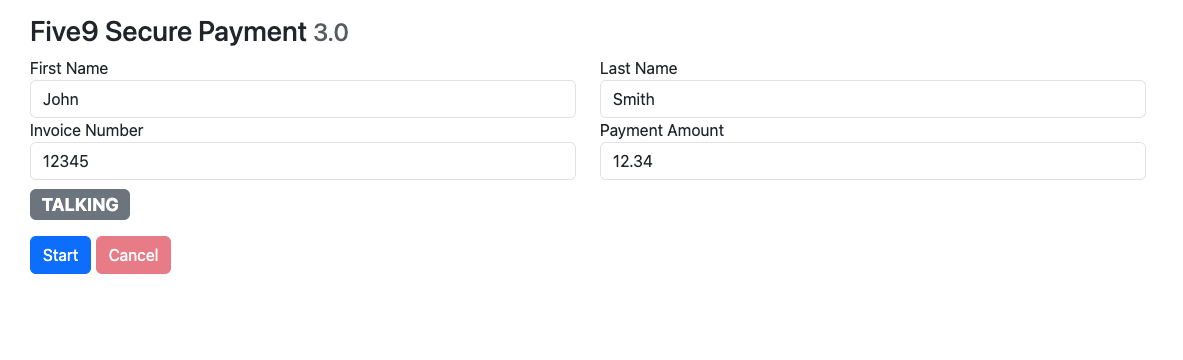
Test the App
After navigating to the sample, you should launch the Five9 Agent application in a separate browser. It can be helpful to have the Secure IVR Example page and the Five9 Agent Application open side by side.
Instead of using a separate page that you keep open, you can also configure a Five9 connector to launch the webpage whenever a call comes in.
To test whether the sample app is up and running
- Log in as an agent, and go into the available status.
- Place an inbound call into your testing campaign (ideally it only routes to your single test agent).
- Once you have the call, you can press "Start" to initialize your Secure Payment flow. This will place the caller into a Secure Payment IVR and mute the call audio stream from the caller to the agent.
- You can press the cancel button to return the caller back to the line.